
Release 26.06 is now available for your robot! We’ve been hard at work developing new features and enhancements to optimize your ANYmal experience. Here, you’ll find detailed information about what’s new in this release. You can find the technical release notes here.
New features
Automatically add edges when creating waypoints
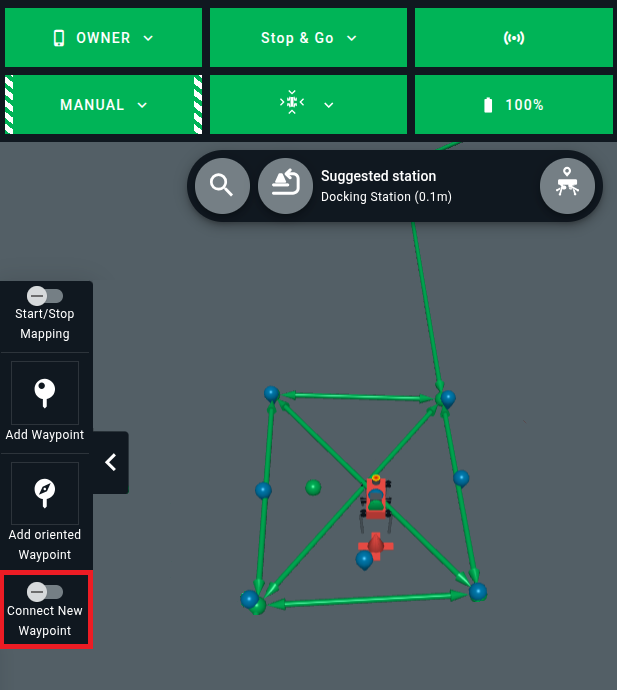
Added a Connect New Waypoint toggle to support easier waypoint creation. When enabled, any new waypoints that you add to the map are automatically connected via edges so that you don’t have to connect them manually. By default, the edges are bidirectional and have default settings applied.
Access this toggle via the side drawer on the app’s left side.
Lock the clipping plane
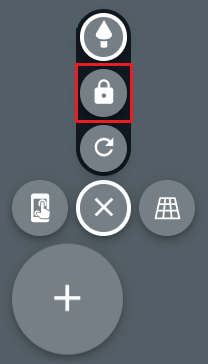
You can now lock the clipping plane at its current height. Once locked, the plane remains fixed at that height even if you change the map angle or zoom in and out. To lock the clipping plane, tap the lock icon.
New failed mission reaction
If a mission fails, ANYmal now gives you a 5-minute window to intervene before it autonomously lies down and enters Sleep mode to preserve its battery.
New low battery reaction
The robot now reacts when its battery level reaches the following thresholds:
- Error (5-10%): ANYmal goes to the closest docking station to charge.
- Critical (<5%): ANYmal lies down and goes into Sleep mode. To exit Sleep mode, you need to charge the robot.
Battery pre-check before mission start
ANYmal now performs a battery pre-check before starting missions. If its battery level is too low, the robot won’t start the mission. By default, this threshold is set to 15%.
T50 gas sensor response time
If your robot is equipped with our gas presence solution, you can now configure the gas sensors to report measurements and trigger alerts based on the T50 response time instead of the standard T90 response time. This option allows for faster initial gas presence detection, enabling the robot to perform inspections more quickly. However, using T50 response time results in less precise measurements.
To enable the T50 response time, update the robot’s configuration file by adding use_t50: true to the code blocks below:
gas_sensor_1_measurement_aggregator:
  aggregation:
    interpretation:
      use_t50: true

gas_sensor_2_measurement_aggregator:
  aggregation:
    interpretation:
      use_t50: true
Improvements
Distinct coloring for environment items
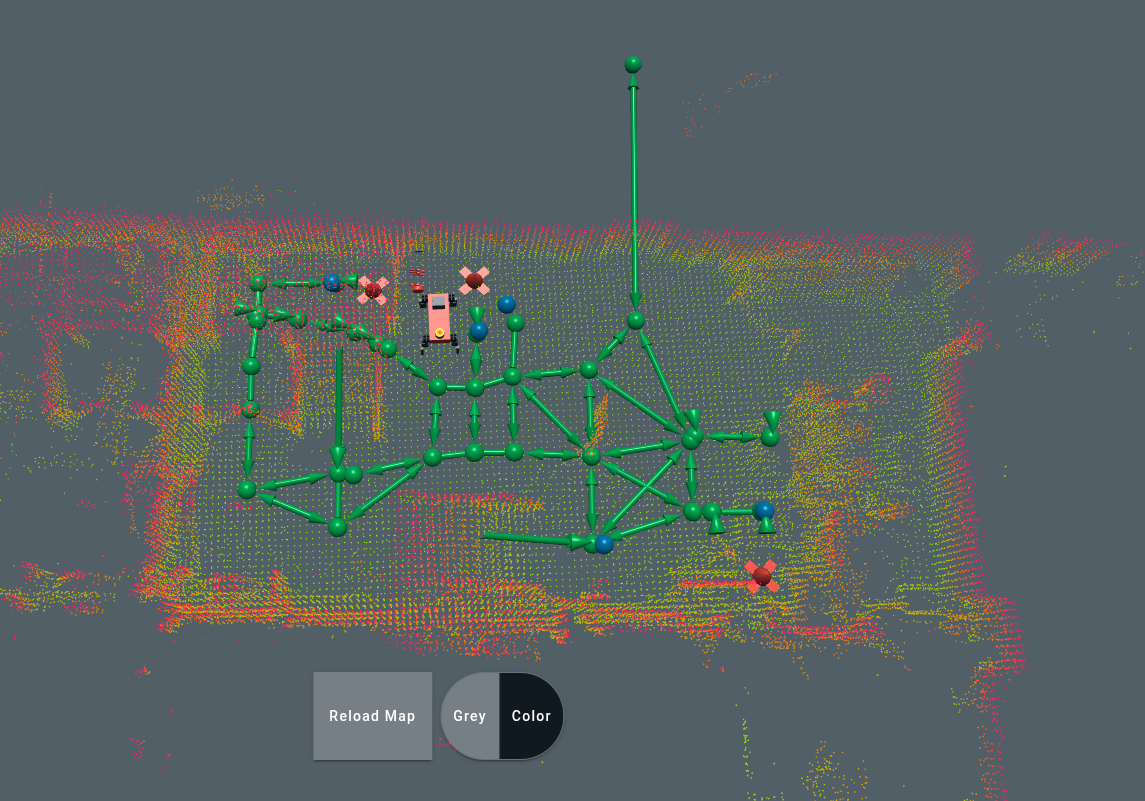
To make items on the map easier to identify at a glance, navigation goals are now colored blue, and docking stations are colored red. Additionally, the docking station item has been redesigned to reflect the station’s actual physical shape, making it easy to distinguish from other environment items.
Map visualization and navigation enhancements
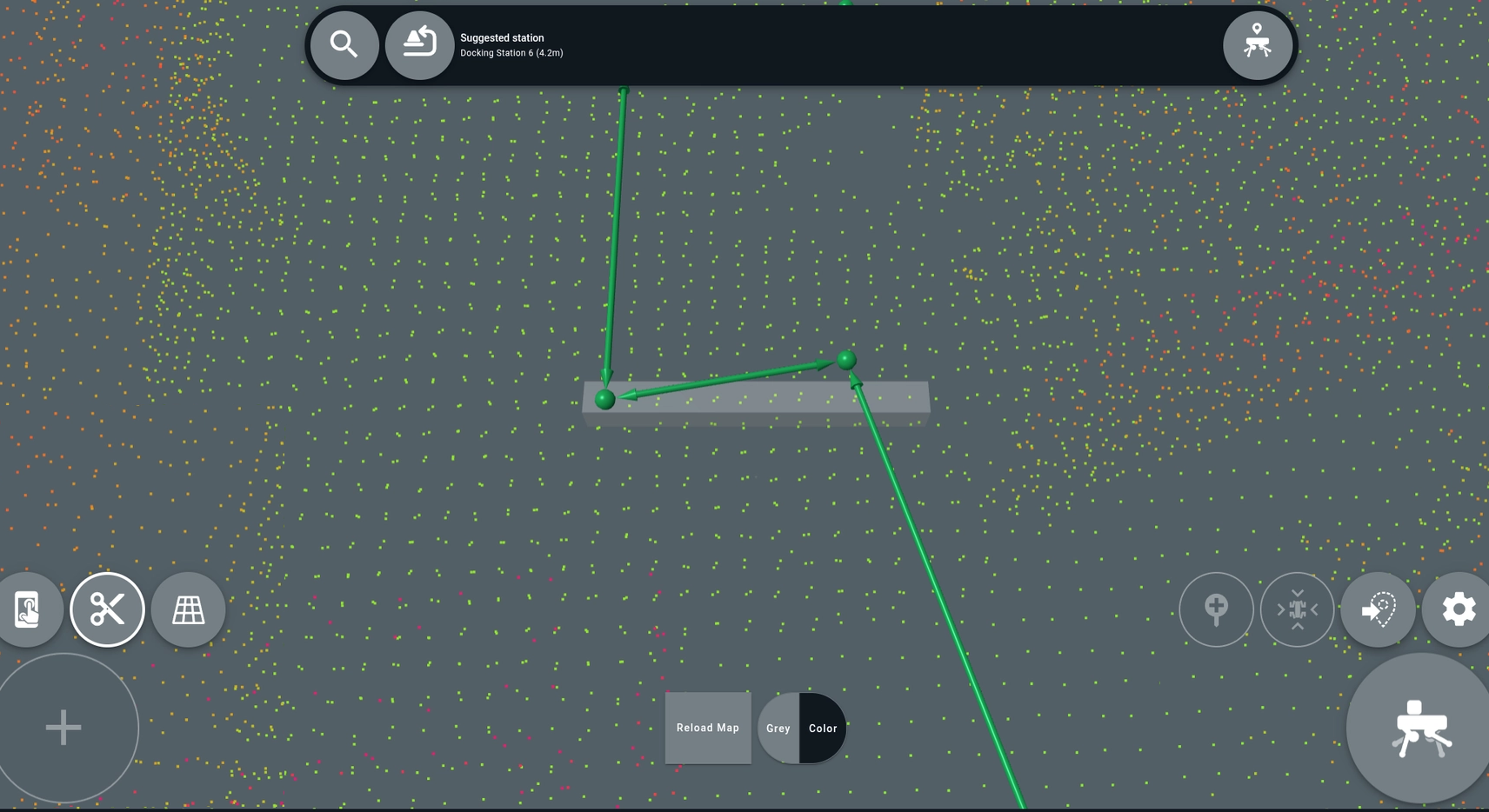
We’ve made some changes to the map display to improve spatial awareness and map navigation. When viewing the map at close range, waypoints now automatically rescale and reduce in size, making them easier to select in dense environments. Additionally, a 1-meter scale now appears at close zoom levels to help you pinpoint the distance between waypoints and environment items.
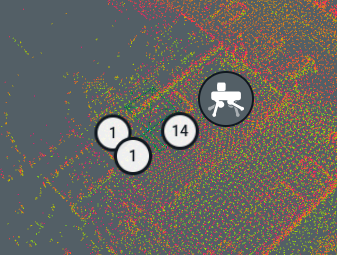
When you zoom out on the map, environment items in close proximity are now grouped into clusters, indicated by a circular white icon. The number within the circle indicates the number of environment items in that area. Tap the icon to zoom in to the area on the map.
Cleaner clipping plane functionality
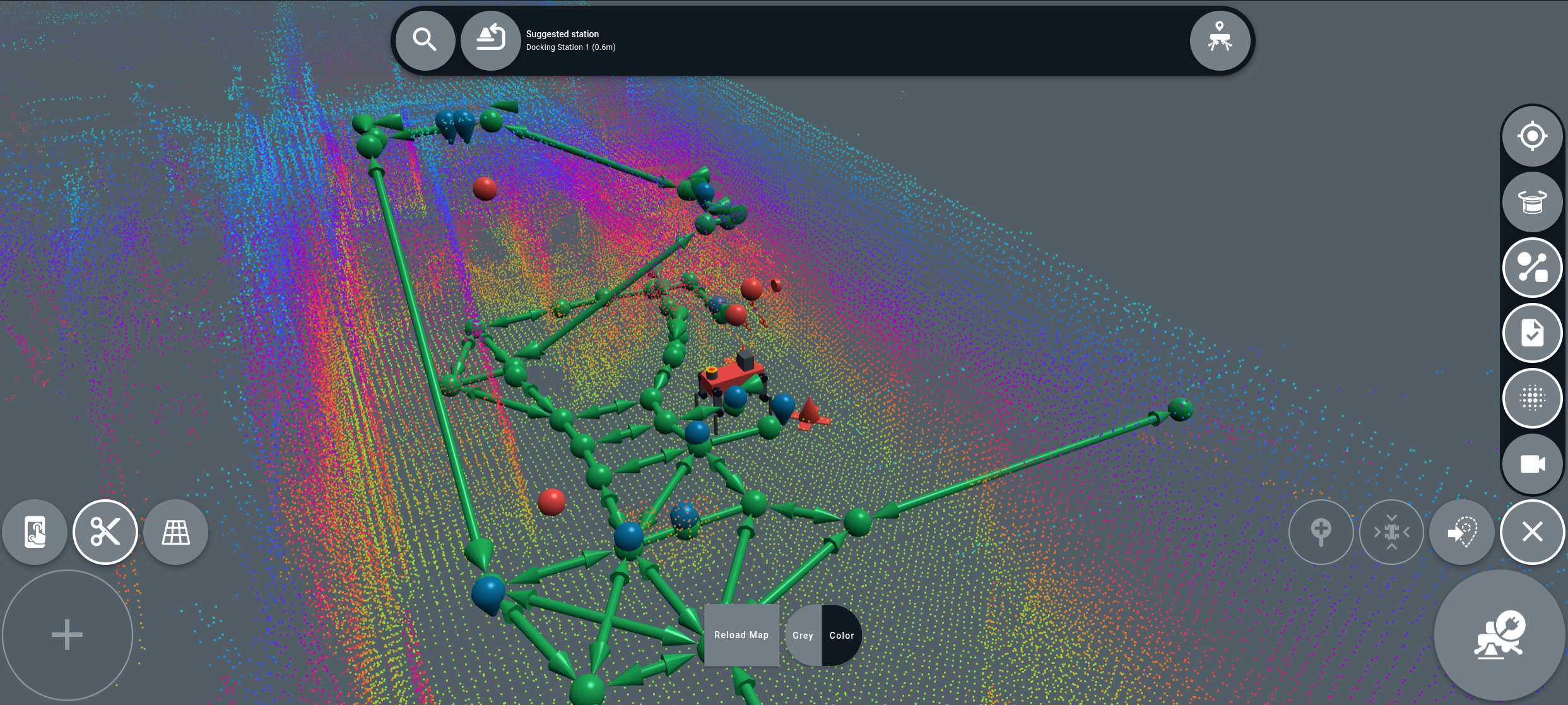
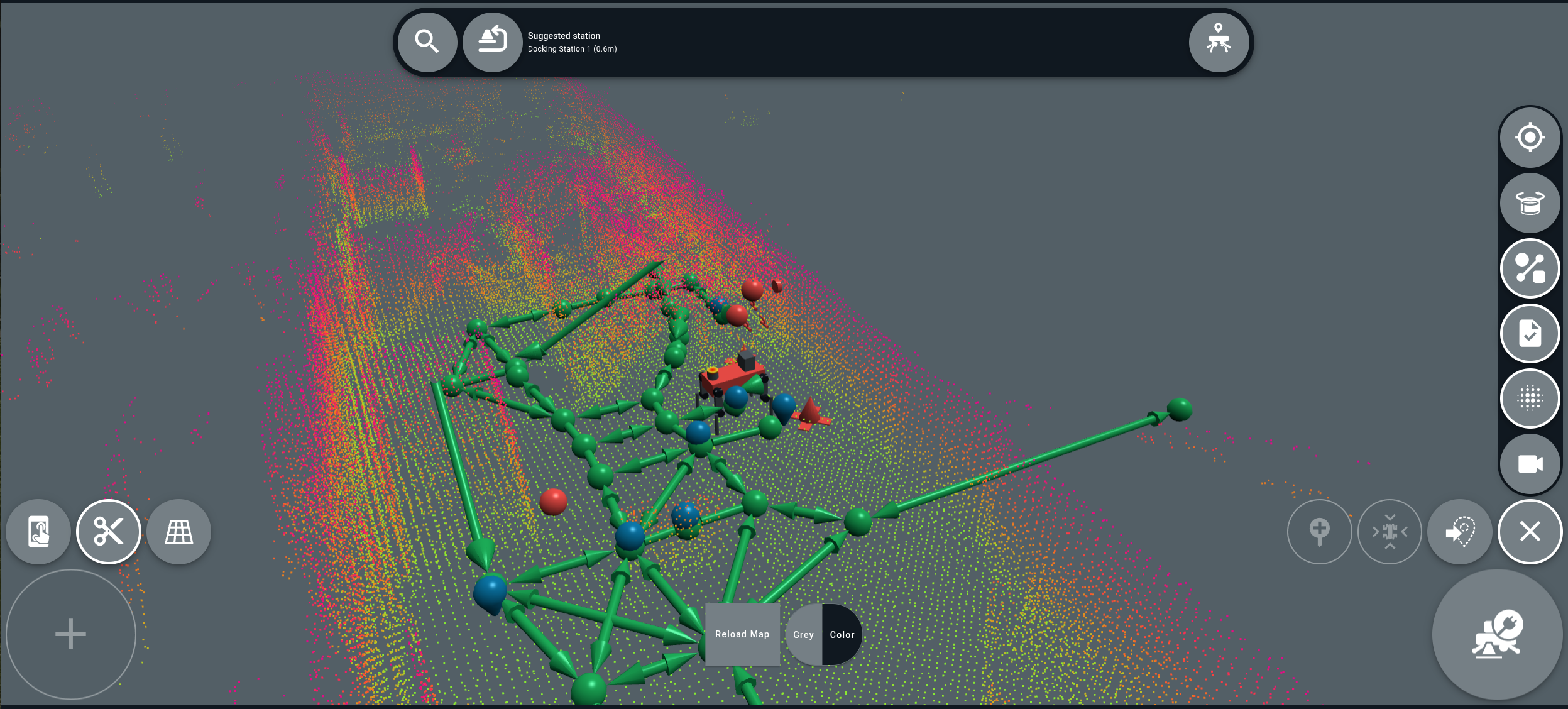
We’ve updated the clipping plane functionality to make it easier to remove environment clutter and enable you to focus on specific areas of complex maps. Previously, the plane only cut the map’s point cloud. Now, it clips all map elements, including environment items, so that you can have an unobstructed view of the desired map area.
Unclipped
Clipped
Smoother and more efficient walking
When in the perceptive walk motion state, ANYmal now moves with a lighter, more careful tread. After upgrading, you might notice that the robot’s more precise movements cause it to perform some motions more slowly. However, this increases efficiency, which improves the robot’s overall operating range.
Tip: Because the robot now navigates more carefully while walking, there might be minor changes to overall mission times, and ANYmal might approach narrow spaces slightly differently. We recommend closely watching ANYmal’s first few autonomous missions after upgrading. You might need to adjust existing waypoints in narrow spaces to account for the robot’s new gait.
Other notable updates
- Spaces are no longer allowed in environment names in the app.
- Updated the Foxglove image from 1.4.2 to 1.4.8.
- When you open camera livestreams in the app, the default camera window size is now smaller. However, the window can still be manually resized.